Market Intelligence
Unusual moves, options screening and market context for a more informed trading plan.
Unusual Moves
ALFABullish
BRAVBearish
CHARBullish
Bring market intelligence, disciplined trade management and performance analysis into one connected trading workspace — and see which moves you can actually trade.
Unusual Moves · Tradable Movers · Market Sentiment · Event Calendar · Position Automation · Journal & Analytics
Overview, sentiment and upcoming events.
Select a symbol to see its context.
Execution access coming soon.
Home brings your trading workspace together.
Real screens from Tradedge. Pick one, or let it play.
Start every session here: the market briefing and sentiment, the week's events, today's unusual moves ranked against each stock's own normal day, and any symbol in full context.
Sentiment, breadth, Fear & Greed and a cross-asset snapshot above the volatility watchlist — with a plain note on whether the market is open and which session the numbers are from.
Unusual moves filtered to contracts with a tight bid/ask spread and an affordable price, each with its direction and the exact contract. Star a name to follow it on your watchlist.
Earnings, economic releases and market holidays by month, week or agenda, with impact levels — every time shown in your own time zone.
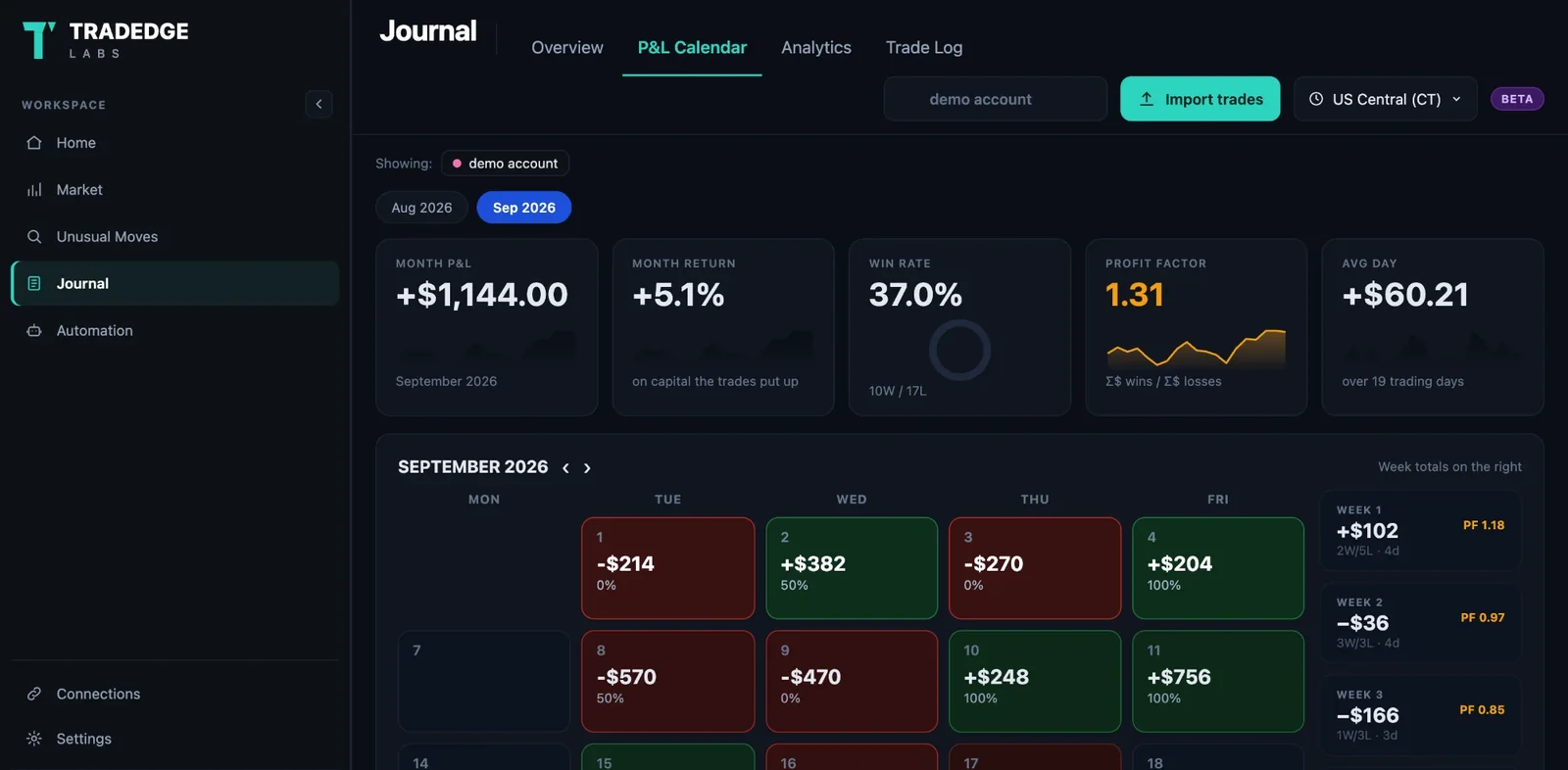
Import your broker's CSV and every day and week lands on a calendar — weekly totals on the right, and every day one click from its trades.
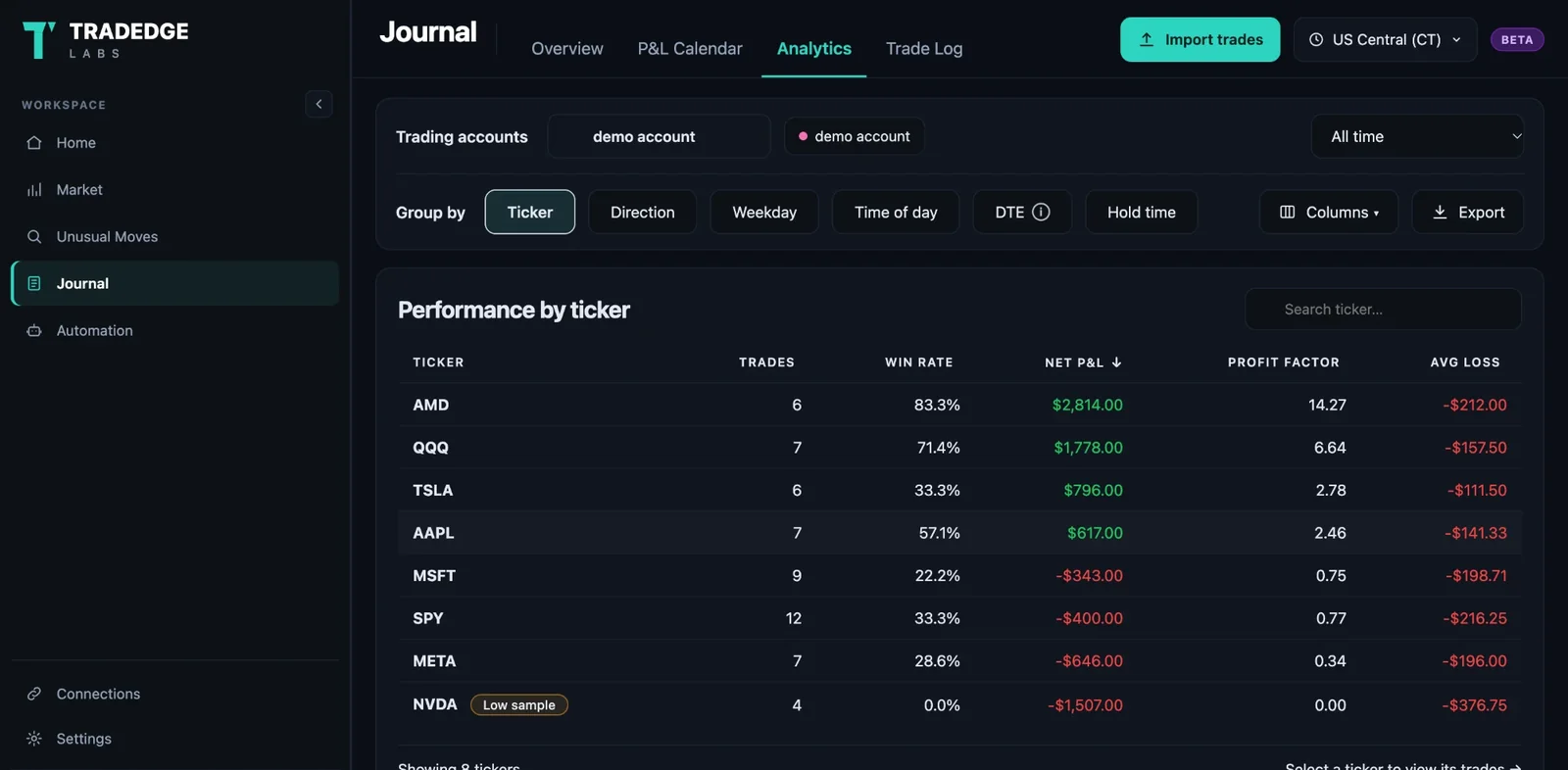
Break your own trades down by ticker, direction, weekday, time of day, DTE or hold time — and see which habits are worth keeping.
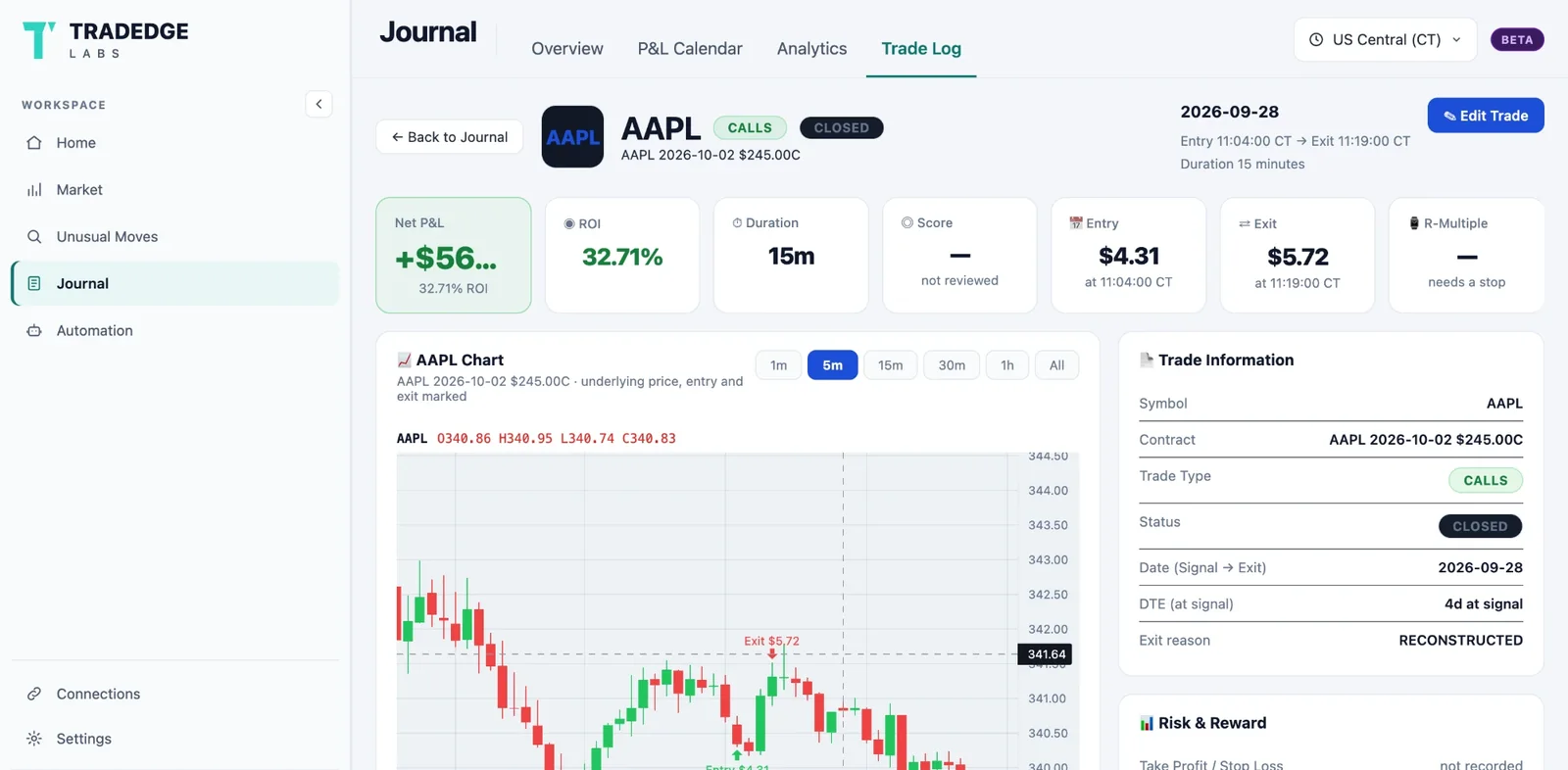
Each trade on the underlying's chart with entry and exit marked, the contract, the hold time and what price did after you left.
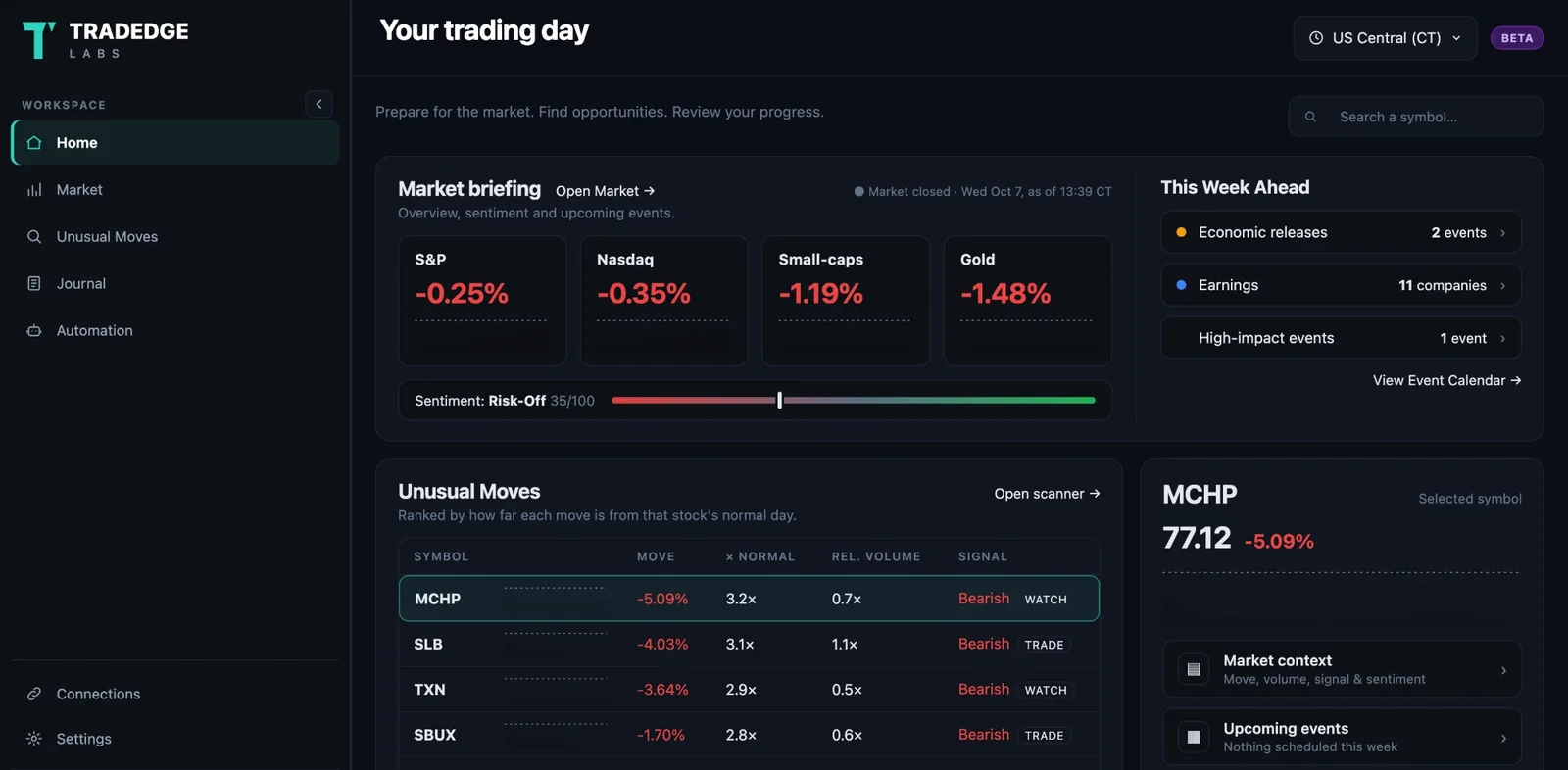
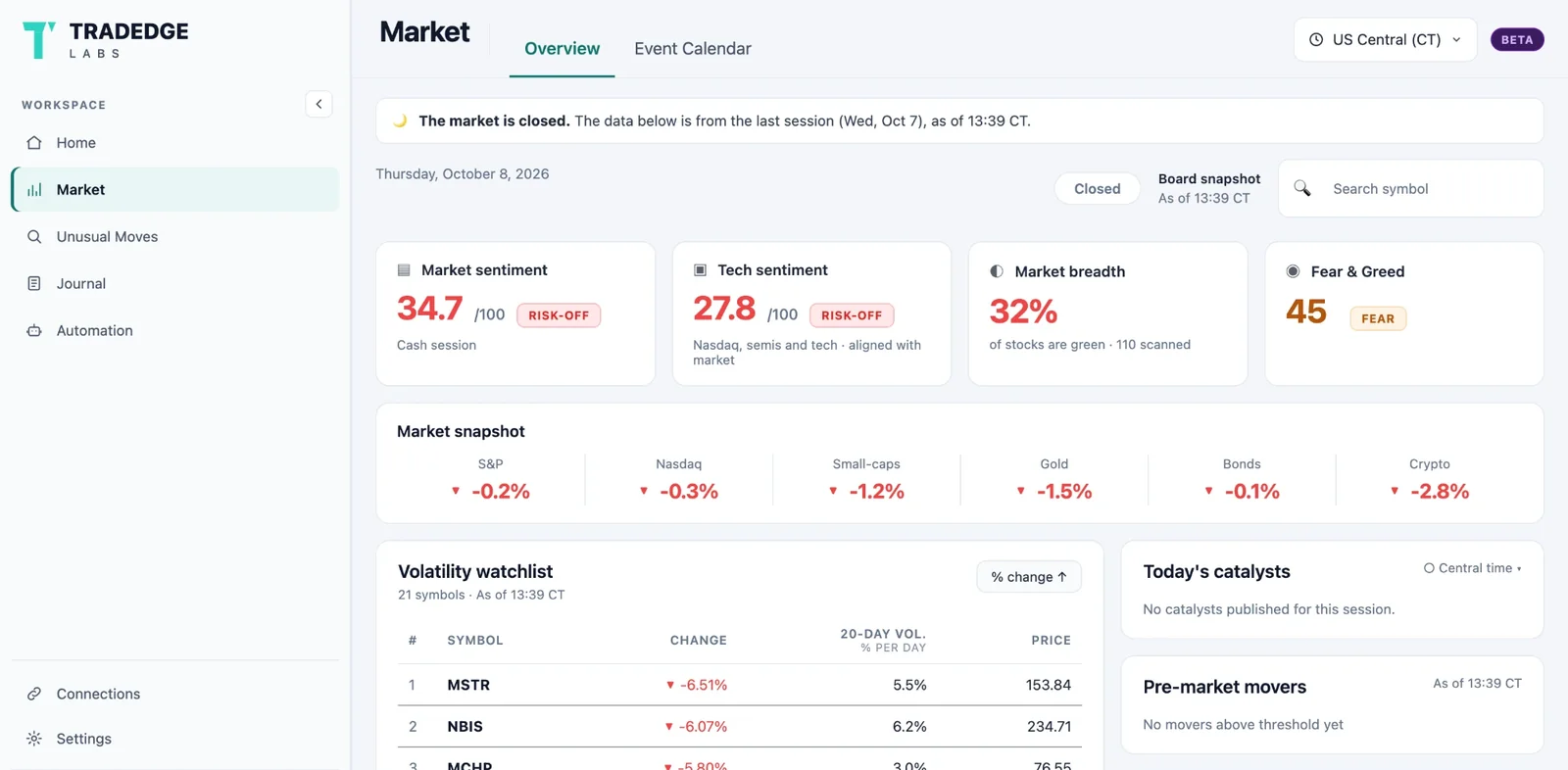
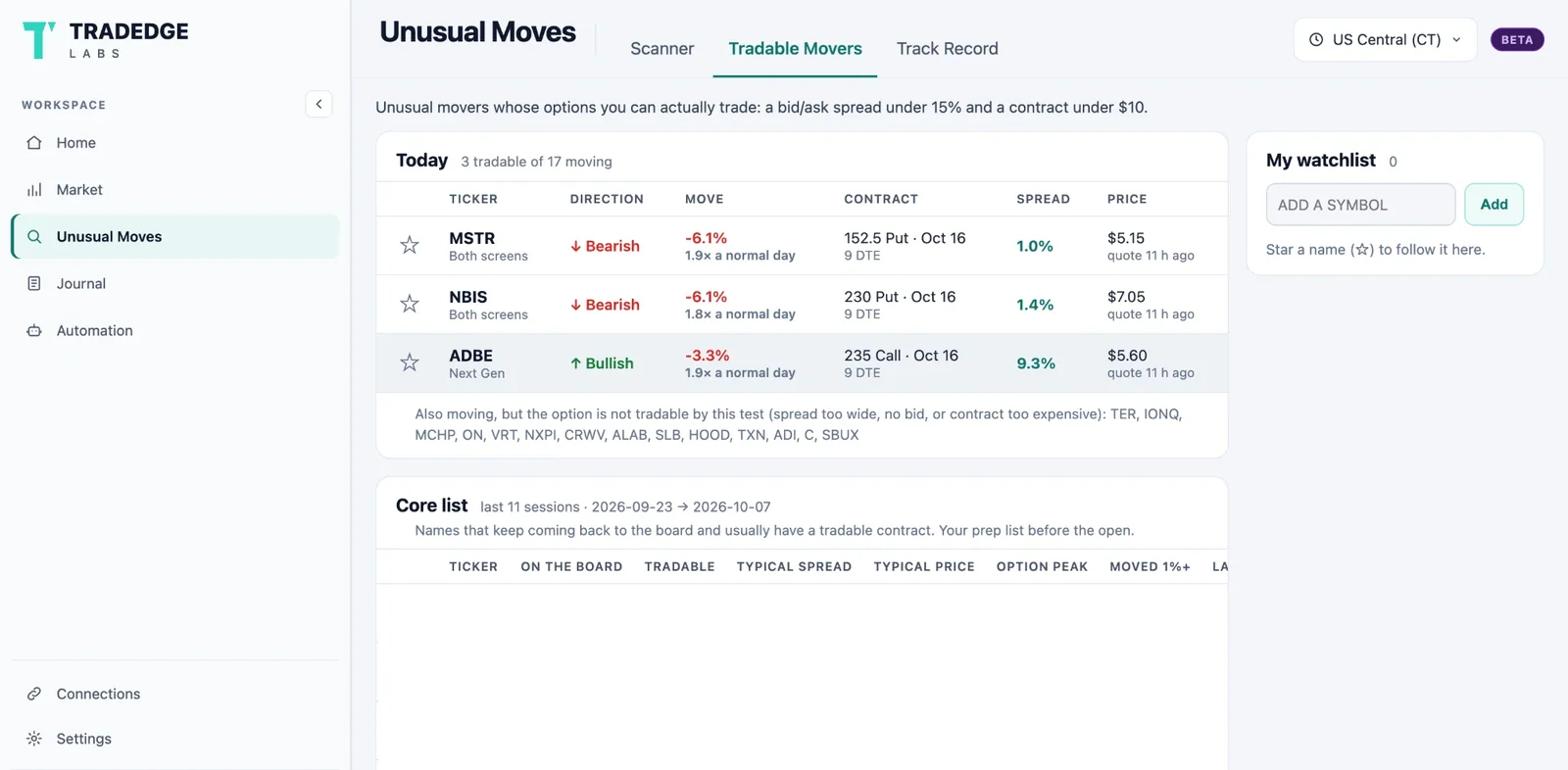
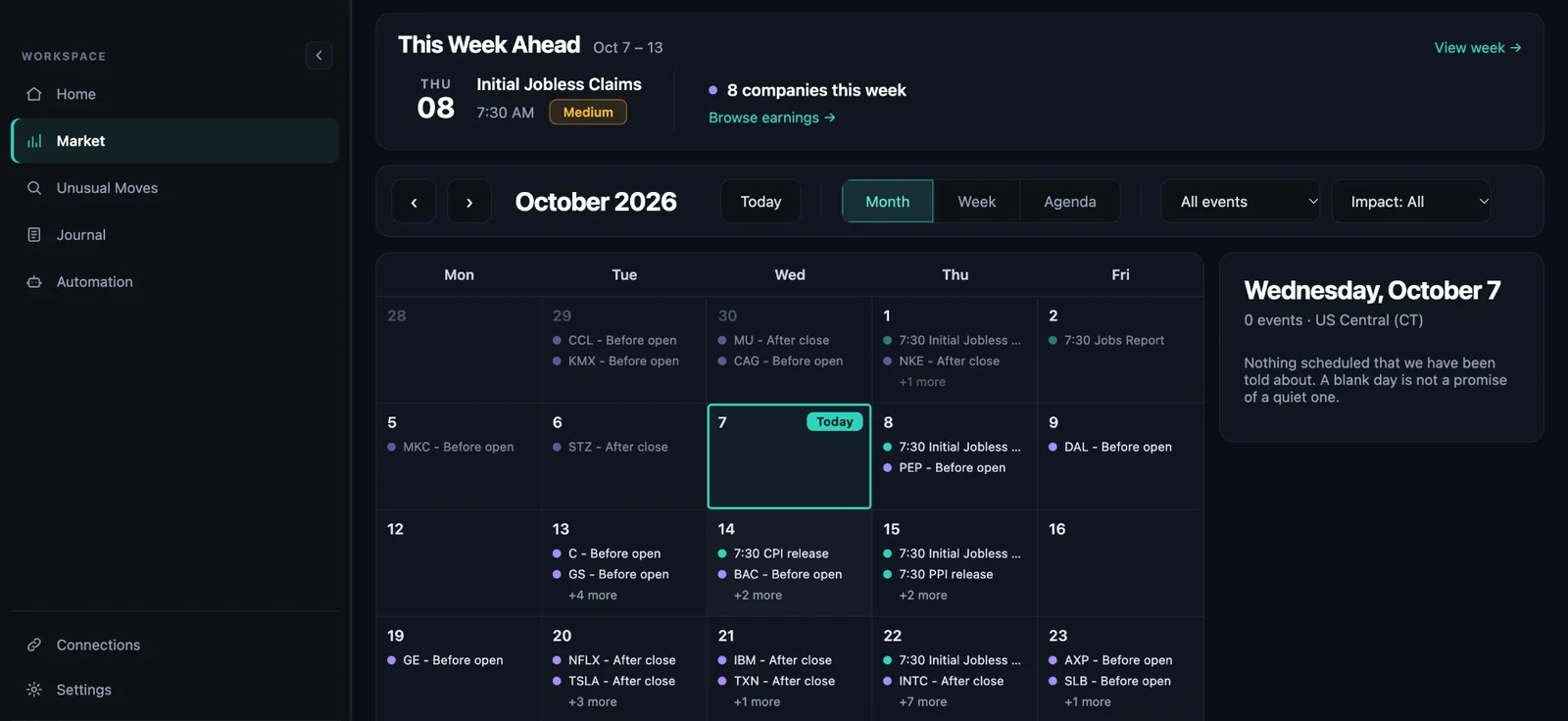
Screens from the Tradedge app. Journal views use a demo account and market data is from a past session — illustrative only, not a record of results or a recommendation.
Unusual moves, options screening and market context for a more informed trading plan.
Not every move is worth trading. See which movers have options you can actually trade — before you spend a dollar on a contract that won’t follow the stock.
Understand your performance, review your decisions and compare accounts clearly.
Define how you want to manage the positions you already hold — a stop loss, profit protection that rises with the trade, a time to be out — and preview exactly what your rules will do before you turn them on.
Preview only · No orders sent
Execution access coming soon. Automation never opens a new trade.
Put today’s conditions in context before deciding how aggressive to be.
Keep earnings, economic releases and high-impact events in view.
Everything you need for the trading day, in one connected workspace.
Every alert is graded against what the market did next — including the moves that fell short. Historical price moves are not realized trading returns.
Your foundation for trade review.
or $249/year (save 28%)
Prices in US dollars. Plus renews automatically until you cancel — cancel any time from Billing, and you keep Plus to the end of the period you paid for. Automation execution access is coming soon.
For day traders, options traders, and traders managing multiple accounts.
No. Tradedge is a software and analytics platform. You keep trading at your own broker; Tradedge helps you find opportunities, manage your plan and review your results.
Automation never opens a trade. It manages positions you already hold — a stop loss, profit protection, a time exit — using rules you set and preview first. It is in preview today: it records what it would do and sends no orders. Execution access is coming, and it will always be your choice to switch it on.
Yes. Your journal and rules are visible only to your account, and we never sell your data. For automation, your broker login stays on your own computer — Tradedge never sees it.
Trade history exports from Charles Schwab, Webull and Robinhood today, with more on the way.
Free is free. Plus is $29/month or $249/year, renewing until you cancel — cancel any time from Billing.
Market intelligence. Trading discipline. Clearer perspective.
Have an invitation? Create account